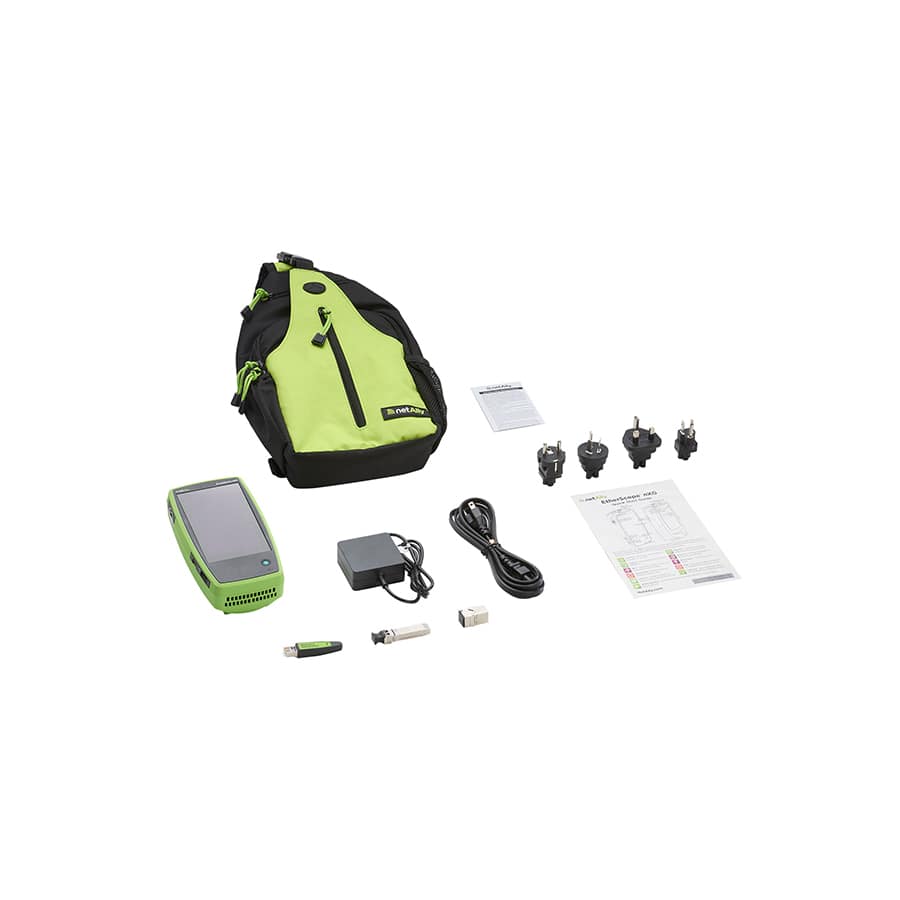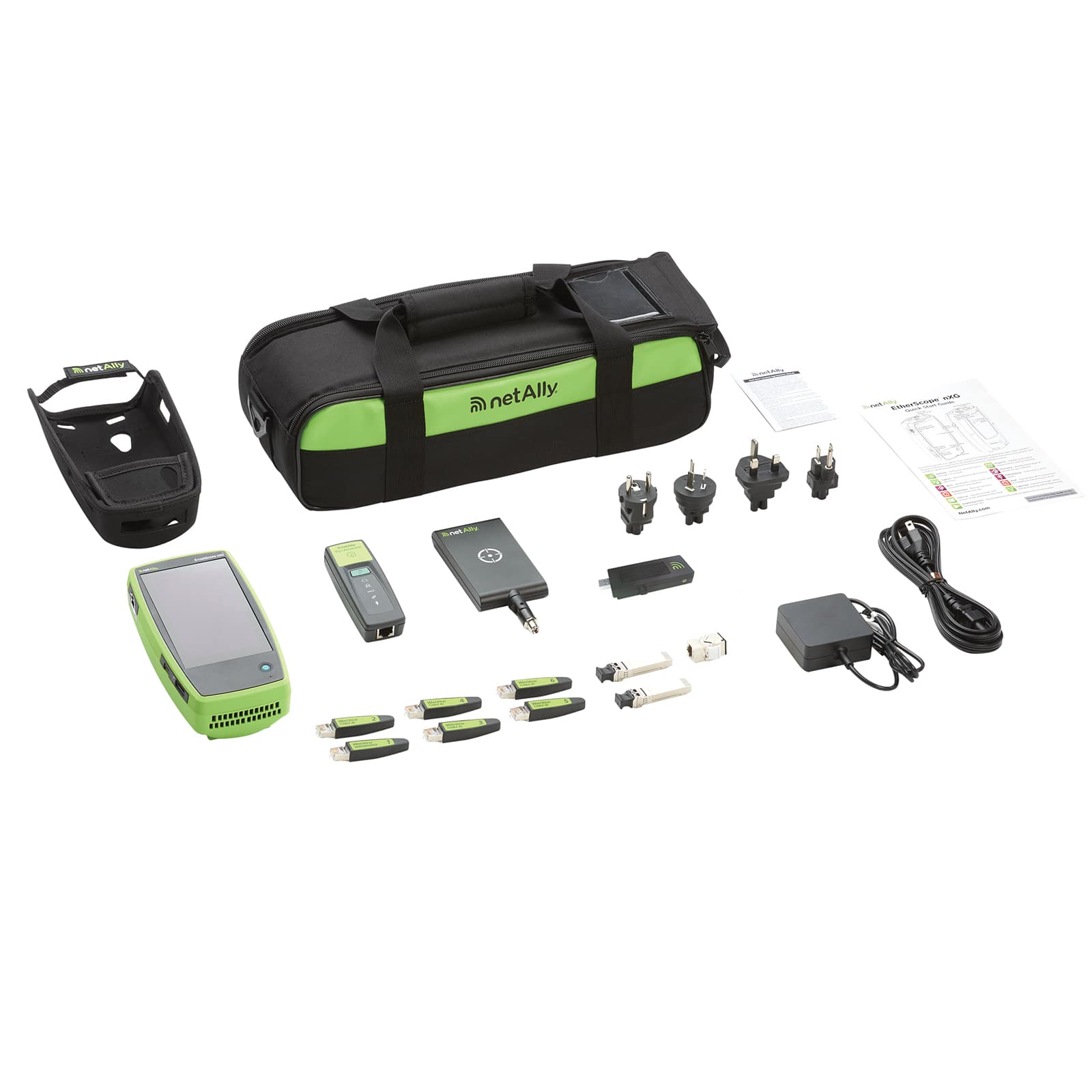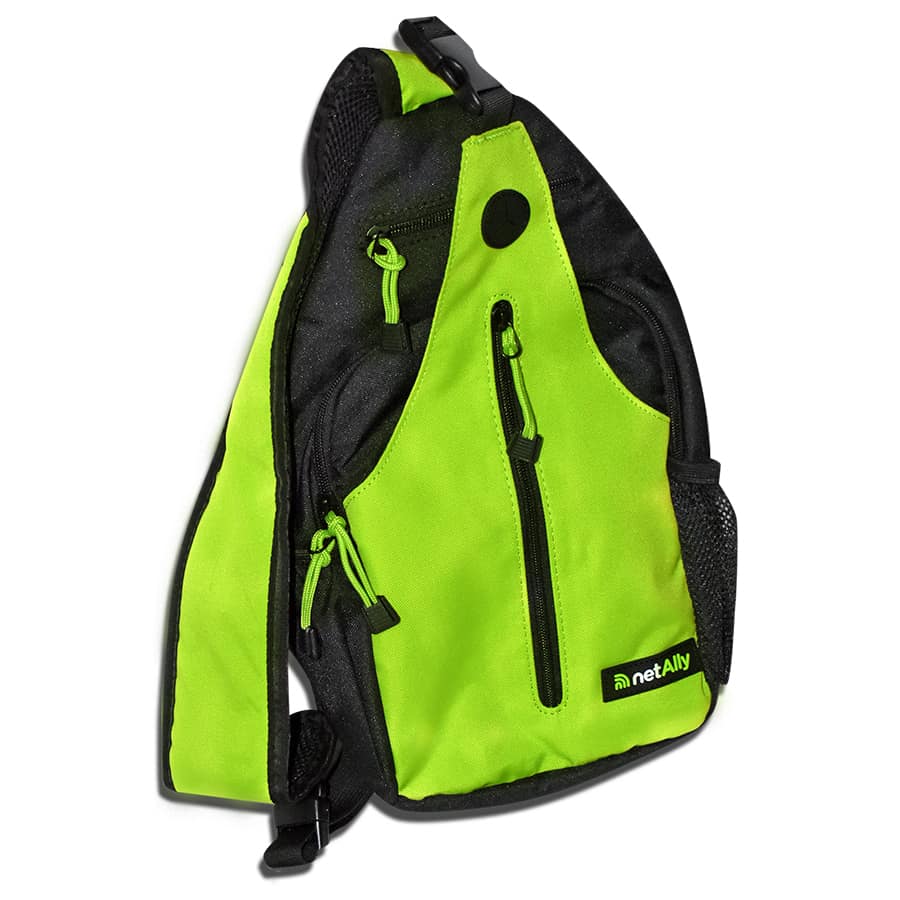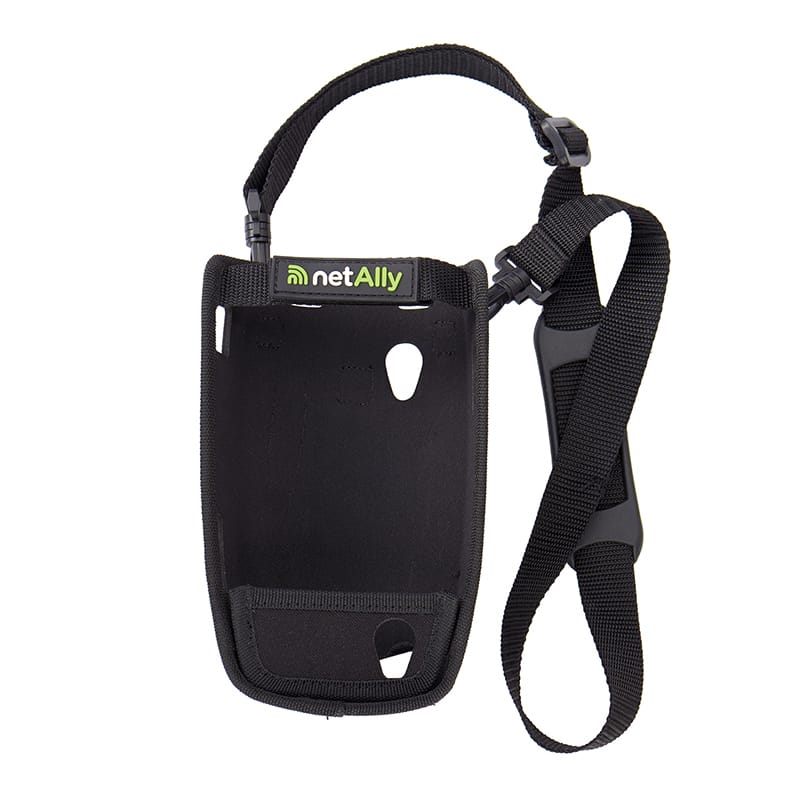
EtherScope® nXG
Ethernet Network Tester & Wi-Fi Diagnostics Tool
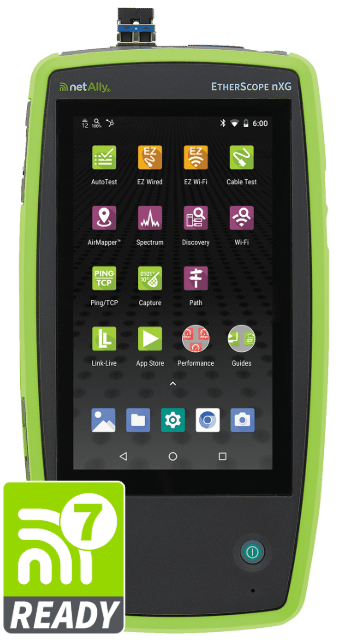
Taking on the complexity of ever-changing access networks, EtherScope nXG is a powerful multi-gig network tester & Wi-Fi diagnostics tool that helps engineers and technicians to quickly deploy, maintain, monitor, analyze, and secure Wi-Fi, Bluetooth/BLE, and Ethernet access networks
- Supports Wi-Fi 7. Provides real‑time visibility into essential Wi‑Fi 7 parameters like multi-link operation (MLO), wider channels, WPA3 security, and 6 GHz adoption.
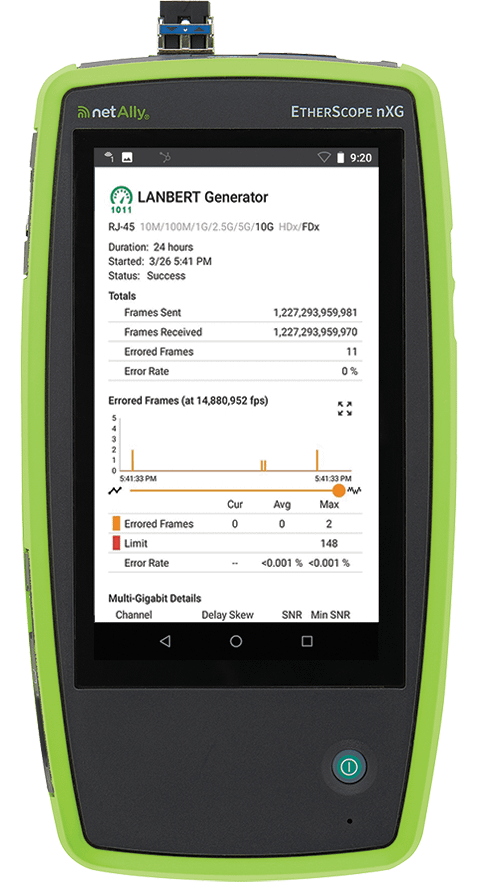
- Supports LANBERT™ Media Qualification, including long-duration testing to diagnose intermittent physical-layer issues that can be hard to detect with other tools.
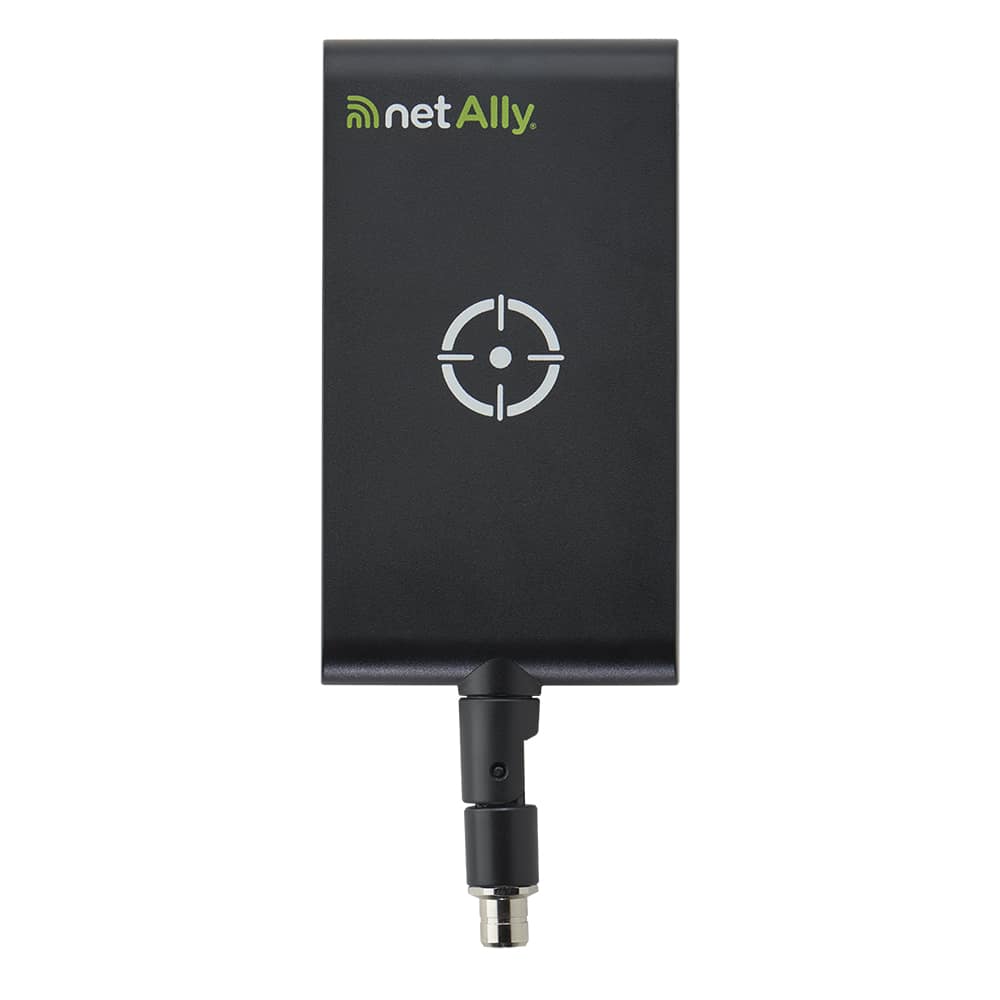
- Portable network analyzer for Wi-Fi surveying (with AirMapper™ Site Survey), troubleshooting, diagnostics, and spectrum analysis (with optional NXT-2000 Portable Spectrum Analyzer) in the 2.4, 5, and 6 GHz bands.
- Verify multi-gig and 10G Ethernet link performance for critical servers, key end devices, and Wi-Fi 7 network deployments.
- Automatically discover and instantly generate a topology map of your wired and Wi-Fi networks using Link-Live™ reporting and analysis platform.
- Enables remote engineers to troubleshoot and collaborate with on-site technicians
Key Features
-
Use smart testing apps and purpose-built hardware
Quickly install, test, verify, and troubleshoot technology upgrades, NBASE-T, 10G, Bluetooth/BLE, and WiFi networks with advanced testing apps and purpose-built ruggedized hardware.
-
Identify physical layer issue that other tools miss
Different from cable certification and qualification tools, LANBERT allows you to verify max achievable speeds by using actual traffic and Digital Signal Processing.
-
Easily document complex network deployments
Empower technicians who may not have access to network management systems or other engineer-level tools to assess and document complex network deployments with multiple VLANs and Wi-Fi SSIDs.
-
Wi-Fi visibility and validation
With real‑time visibility into essential Wi‑Fi 7 parameters (including MLO), EtherScope nXG is ideal for validating the deployment of 802.11be access points and assessing client support.
-
Attain complete device visibility and detect network changes
Automatically discover and instantly map* your wired Ethernet and WiFi networks in Link-Live; identifies network changes, discovers wireless security threats, and keeps network documentation up to date.
-
Simple “access-anywhere” with Remote Control
The EtherScope nXG has a dedicated Wi-Fi management port that enables a remote engineer to control the unit “out of band” (via VNC or Link-Live™). Allowing them to collaborate with technicians on-site, or to troubleshoot remotely.
*Active AllyCare Premium Support required for full AirMapper visualizations and filtering, automatic problem identification via InSites™ intelligence, comprehensive topology mapping, advanced reporting options in Link-Live, and web remote control.
How to use a Wi-Fi and Ethernet network analyzer?
Test it yourself and see how easy it is to use an EtherScope nXG. Click on the orange dots to explore.
Home Screen
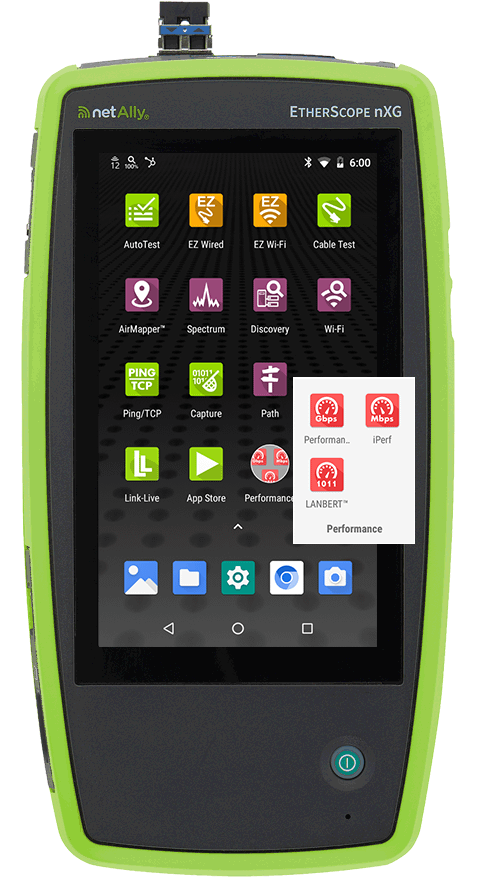
The EtherScope nXG is a Wi-Fi and 10G wired network analyzer. It has a dedicated set of Ethernet and WiFi management interfaces which support remote control and additional testing. It has a Bluetooth/BLE radio, and advanced test apps downloaded from the Link-Live collaboration, reporting, and analysis platform can use these interfaces for testing and communication purposes.
Benefit:
As a lightweight, handheld, multi-function instrument, EtherScope is perfect for remote site validation and troubleshooting, eliminating the need to purchase multiple testers, and the need to carry a fragile laptop PC or tablet. Apps make the user’s workflow more efficient by expanding the usage of the instrument beyond testing, allowing the user to check trouble tickets, run speed tests, configure networked devices, and complete other tasks with its smartphone-like features.
AutoTest
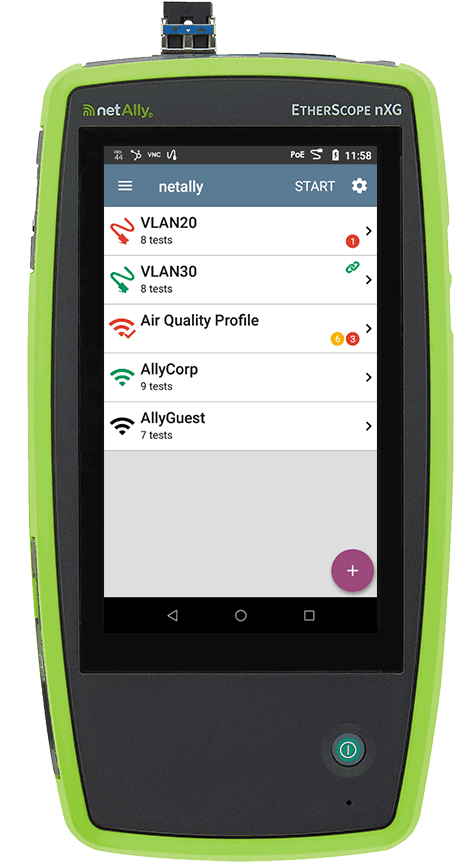
AutoTest is the most comprehensive NetAlly testing App on the EtherScope nXG. It allows you to quickly run a variety of test types and save their configurations and network credentials for access whenever you need them. The App is fully customizable with test “profiles” for wired and WiFi network connections, wireless air quality, and individual “test targets” that can run with any profile.
Benefits:
AutoTest allows engineers to transfer their knowledge of network configurations to the instrument, empowering frontline technicians to run tests against various wired VLANs and Wi-Fi SSIDs with minimal training. The result is a repeatable, documented test with shortened overall test times, which otherwise would not be possible with other test methods.
Periodic AutoTest:
In this mode, AutoTest runs at specified intervals (from 1 minute to 24 hours) and sends the results to Link-Live to view the results over time. This is an effective way to “monitor” aspects of your network for an extended period, or to help diagnose intermittent issues without having to manually execute multiple tests.
Wired Network Test
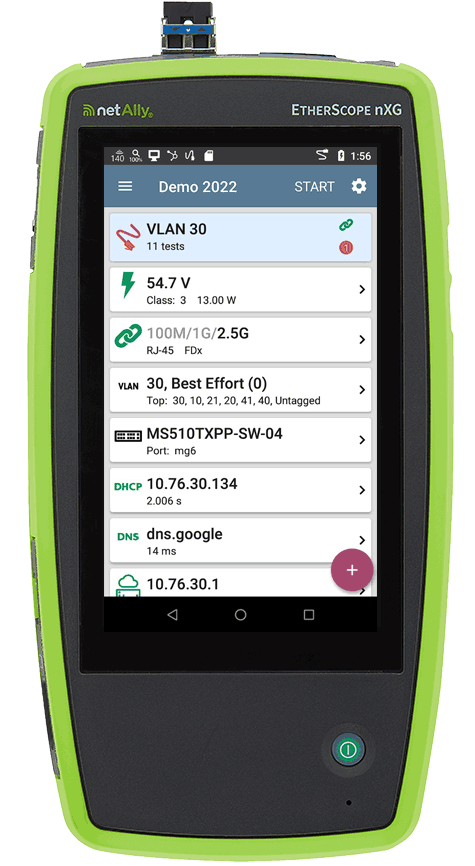
The Wired Network Test profile verifies PoE Class voltage & loaded power, link speed, 802.1x authentication, shows VLANs supported, identifies nearest switch ports with CDP/LLDP/SNMP, tests for DHCP/DNS/Gateway response, and verifies connectivity (using Ping, TCP Connect, HTTP and FTP) to an unlimited number of test targets. Users can tap on each card to see more details and click the purple floating action button to attach the connection log, comments and photos of the environment (using EtherScope nXGs built-in camera) to the test results.
Benefits:
With pre-programmed wired test profiles, Pass/Fail thresholds, and advanced VLAN visibility, it is easy for technicians to test various wired network configurations with minimal training. The test results, along with connection log, comments and images can be uploaded to Link-Live for automated documentation and analysis by remote experts.
Wi-Fi Channels Map
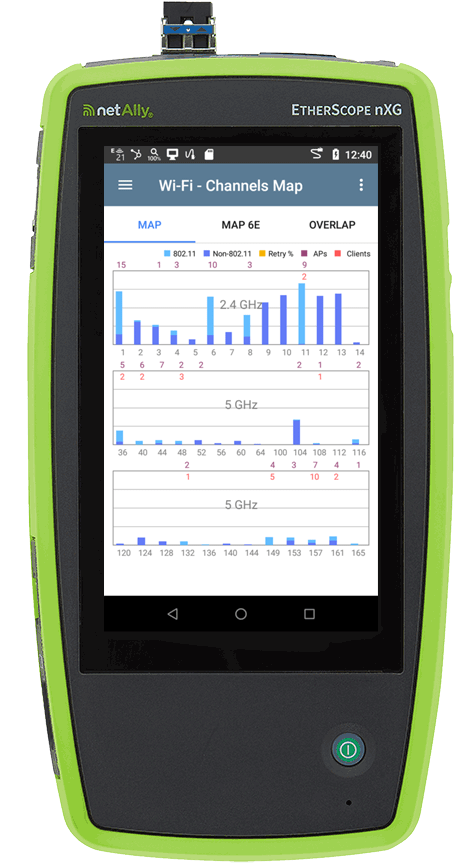
The WiFi channels map provides a visual representation of 802.11 utilization and non-802.11 utilization for each channel on the 2.4/5/ 6GHz bands. It also shows number of APs, number of Clients, and retry percentage for each channel.
Benefits:
Quickly determine if channels are over-utilized with Wi-Fi traffic and/or with non-Wi-Fi interference and noise. You can also gain visibility on the level of Wi-Fi traffic and interference over the last 60 seconds on a selected channel, as well as the access points and clients using this channel.
Wi-Fi Device Details
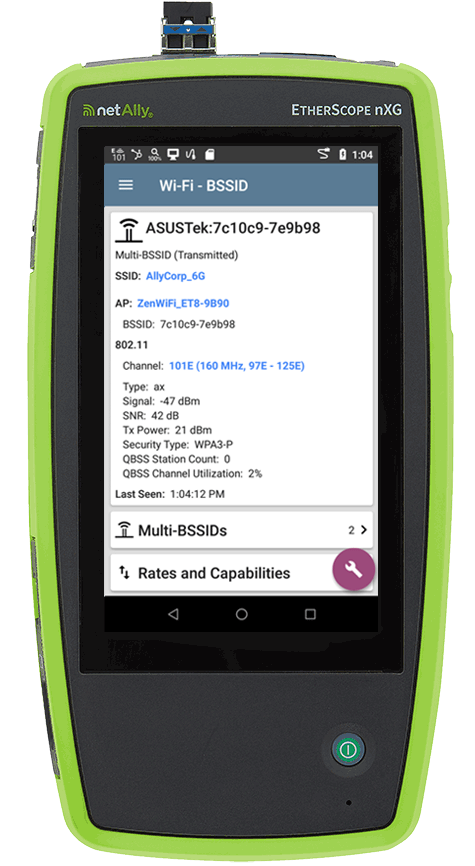
EtherScope nXG automatically discovers your network through its dual set of Wi-Fi radios immediately upon power-up. The discovery provides quick security and health audits of the network devices across all Wi-Fi channels on the 2.4, 5, and 6 GHz bands (essential for visibility into Wi-Fi devices).
Devices are classified and correlated to provide complete visibility of their name, network addresses, SSID, device type, and where available, traffic statistics. Engineers can name and set authorization status for devices discovered. Discovery results can be directly uploaded to the complimentary Link-Live Cloud Service for storage, conduct detailed analysis of devices discovered with filter and sort tools, or export to CSV/PDF files as documentation.
Benefits:
The EtherScope correlates the discovery results from wired and Wi-Fi networks, plus breaks the layer 2 visibility ceiling. EtherScope nXG makes it easy to discover the actual identity of a Wi-Fi device by showing its a name and IP address while most other Wi-Fi tools only show the MAC address.
Wi-Fi Troubleshooting Tools
The EtherScope nXG Wi-Fi device discovery automatically detects problems. It shows possible cause(s) for each problem detected and it has integrated Wi-Fi troubleshooting tools to investigate further and get the root cause.
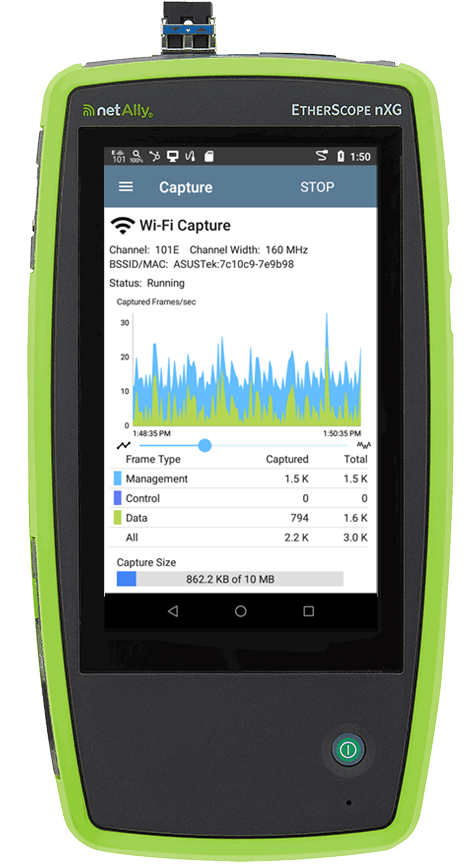
• Packet Capture: You can capture Wi-Fi 7 traffic on the 2.4/5/6 GHz bands to create a PCAP file of up to 1Gb, which can then be upladed to Link-Live™ for easy sharing.
• Connection Test: Verifies connection and authentication to selected networks on the 2.4/5/6 GHz bands (including Wi-Fi 7). It checks the connected channel utilization, tests for DHCP/DNS/Gateway response, and validates connectivity to multiple test targets.
• Roaming Test: Anytime the EtherScope roams and connects to a new AP, a red vertical line will be shown in the SNR, Utilization, Retries, PHY Tx Rate, and PING graphs available. Seeing the correlation between various factors and the roam can help diagnose roaming successes as well as failures.
• Locate: Simplifies the process of physically locating both AP and Client devices by measuring their signal strength. Making it easier to find rogue devices or locate APs that need to be replaced.
Benefits:
With its compilation of Wi-Fi troubleshooting tools, the EtherScope nXG makes it quick and simple to identify the root cause of Wi-Fi network problems.
Path Analysis
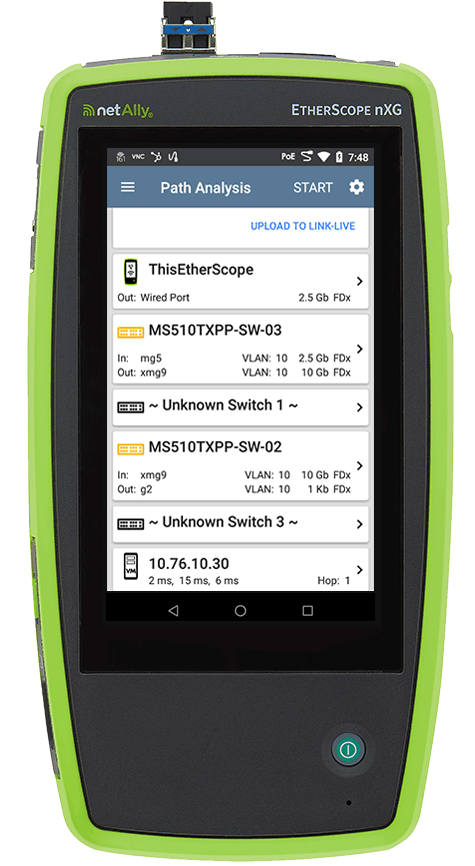
Path Analysis traces the connection points, including intermediate switches and routers, between the EtherScope nXG (connected over Wi-Fi or Ethernet) and a destination URL or IP address. Path Analysis uses SNMP queries to identify issues such as overloaded interfaces, overloaded device resources, and interface errors. It also shows how devices within your network (and off-net devices) are connected.
The Path Analysis app can test through any one of the four network interfaces that have established a connection to the network and have an IP address.
Benefits:
EtherScope nXG has the unique ability to break through the “visibility ceiling” between Wi-Fi and wired networks, showing who and what is on your network, where they are connected, and their path across your network.
AirMapper™ Site Survey for WiFi and Bluetooth/BLE
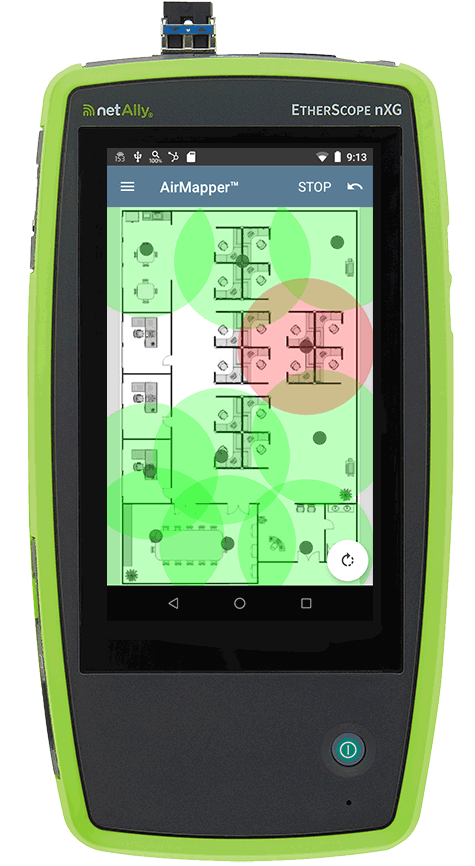
With AirMapper, EtherScope nXG users can quickly and easily gather location-based Wi-Fi and Bluetooth/BLE measurements and create visual heat maps of key performance metrics in the Link-Live collaboration, reporting, and analysis platform.
Import a floor plan image (.png or .jpg) and calibrate the floor plan dimensions (in meters or feet). Or automatically push pre-configured and calibrated floorplans from Link-Live to testers in the field. Then touch START to collect data. Tap at various points on your floor plan to collect data; comments can be added to the survey with a long tap on the floor plan. When done, tap STOP, then touch the save icon to send your results to Link-Live for sharing and analysis.
Benefits:
Faster and easier than using site survey software on a laptop or tablet with an attached dongle or tethered device, AirMapper is ideal for quick site surveys of new deployments, change validation, and performance verification. The ease and portability of this solution enable technicians to quickly troubleshoot or validate Wi-Fi and Bluetooth networks by measuring the real-world experience of mobile device users.
Performance
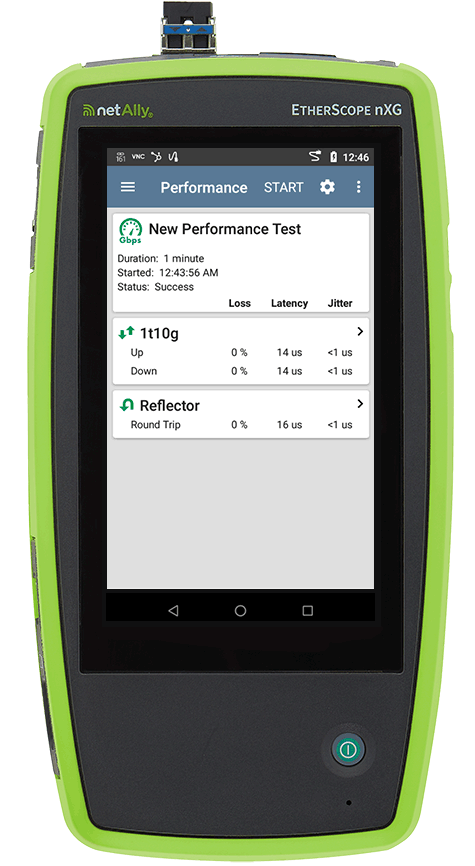
The EtherScope nXG’s Performance app provides point-to-point performance testing of a UDP traffic stream through its wired network interface against up to eight NetAlly hardware/software endpoints. This test quantifies network performance in terms of target throughput rate, loss, latency, and jitter at a specified speed.
iPerf testing is available to test the network throughput for TCP/UDP streams over the EtherScope nXG’s Wi-Fi or wired interface to an iPerf v3.0 server, such as the NetAlly Test Accessory.
Benefits:
The Performance and iPerf apps verify SLA of critical network links when deploying NBASE-T or 1/10G links to support critical device, e.g. 10G servers, network-attached-storages, and high-speed Wi-Fi access points, ensuring you’re getting the bandwidth you expect.

Spectrum Analysis
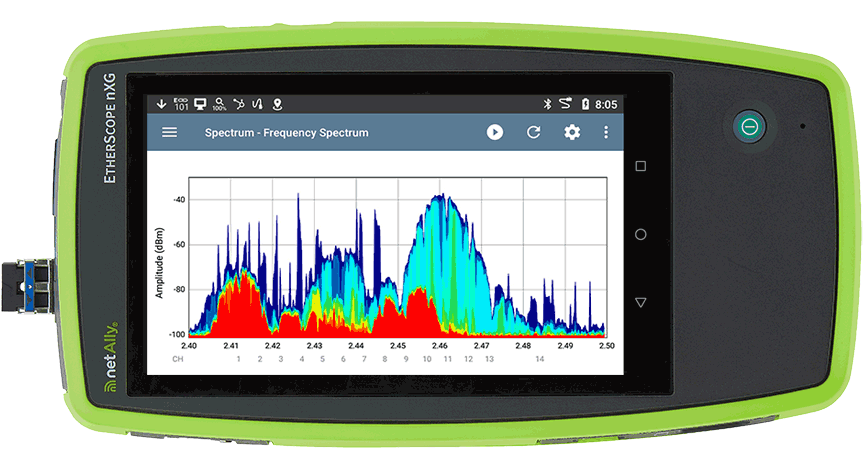
Trying to pinpoint the source of Wi-Fi interference on a wireless network is hit or miss with the wrong tools. Using the optional NXT-2000 Portable Spectrum Analyzer, EtherScope nXG offers a view of RF interference in the 2.4, 5, and 6 GHz bands and its impact on the wireless network’s overall performance. Key graphs and charts include:
• Real-Time FFT - Provides a real-time view into the RF environment, including current, average, and max readings.
• Frequency Spectrum - Displays real-time analysis on signals that are common during the current capture session.
• Waterfall - Shows intermittent spikes of RF energy that over time may be causing wireless network problems.
Benefits:
Simplify interference troubleshooting and location by providing visibility into the 2.4, 5, and 6 GHz spectrum bands, plus helps secure the Wi-Fi network by inspecting No Wireless Zones and detecting and locating intentional RF interference sources such as RF jammers.
LANBERT™ Media Qualification App
The LANBERT media qualification app for EtherScope nXG multi-function professional instruments provides a simple and fast method of assessing the quality of transmission and available bandwidth in your copper and fiber cable plant. When used with another LANBERT-compatible NetAlly tester, LANBERT generates and measures the transmission of line rate Ethernet frames over your network cabling infrastructure, qualifying its ability to support 1G/10G on fiber and 100 M/1 G/2.5 G/5 G/10 G on copper links. (Test requires two instruments, two EtherScope nXG units, two LinkRunner 10G units, or one of each.)
Benefits:
With the insatiable growth in bandwidth, increasing speeds of Wi-Fi APs (with Multi-Gig 2.5/5 Gbps backhauls), 1G bps to 10G bps upgrades, and deployments of new fiber links, network professionals must have confidence that their network will transport their data error-free and at the maximum speed possible. LANBERT allows you to maximize the utilization of your existing cabling, preventing unnecessary upgrades.
Models & Accessories
IMPORTANT NOTES: WiFi regulatory compliance implementation of the 6 GHz spectrum varies by country.
EtherScope nXG 300 models are available in three versions: Full Tri-Band (capability across the entire 6 GHz band), Partial Tri-Band (capability for only certain channels in the 6 GHz band as determined by 802.11d regulatory domain information), and Dual Band Only (for countries where operation in the 6GHz band is not allowed.) Be sure to select the model that is certified for use in your specific country. Please contact your NetAlly reseller for more information.
The models shown below are for the “Full Tri-Band” version. Replace “EXG-300” with the following for the other model types:
• EXG-300E Partial Tri-Band (802.11d dependent)
• EXG-300C Dual Band Only (2.4/5 GHz)
Documents
Datasheet
| Title/Description | Download |
|---|---|
EtherScope nXG Product Datasheet | Download |
Flyers
| Title/Description | Download |
|---|---|
EtherScope nXG Product Flyer | Download |
AllyWare Common Technology Guide | Download |
EtherScope nXG & AirCheck G3 Product Comparison | Download |
NXT Portable Spectrum Analyzer | Download |
NXT Spectrum Analyzer Comparison | Download |
AirMapper Site Survey Flyer | Download |
NetAlly Product Selection Guide | Click to View |
AllyCare Premium Support Services Flyer | Download |
Brochure
| Title/Description | Download |
|---|---|
NetAlly Corporate Product Brochure | Download |
Manuals
Contact tech support for user guides in PDF format.
| Title/Description | Download |
|---|---|
EtherScope nXG Quick Start Guide (English) | Download |
EtherScope User Guide v2.8 (English) | Click to View |
EtherScope User Guide v2.5 (Simplified Chinese) | Download |
EtherScope CE User Guide v2.8 (English) | Click to View |
EtherScope CE User Guide v2.5 (Simplified Chinese) | Download |
AllyWare™ v2.8 Release Notes | Click to View |
Compliance and Safety (English) | Download |
Compliance and Safety (Multilingual) | Download |
Software
| Title/Description | Download |
|---|---|
EtherScope nxG Software Updates | Download |
NPT Reflector Software Download | Download |
Capabilities
-
Wi-Fi Analysis and Troubleshooting
-
10G Line Rate Performance Test and Packet Capture
-

Wired & Wi-Fi Network Discovery, Mapping, Analysis and Security Audits
-
Verify Complex Networks – Wired and Wireless
Wi-Fi 7 and 6 GHz Support
With the introduction of the 6 GHz band, how Wi-Fi validation and troubleshooting is done has changed – necessitating new technology to test and validate these networks.
- Real-time visibility into essential Wi‑Fi 7 parameters like multi-link operation (MLO) configuration
- Visibility across the 2.4, 5, and 6 GHz bands (critical for Wi-Fi 7 validation), including high-resolution spectrum analysis
- Validate 160 MHz and 320 MHz channel usage by checking for overlapping signals or congestion
- Measure nearly 1 Gbps iPerf throughput to verify if your enterprise Wi-Fi 7 link performance meets design goals
- Diagnose 6 GHz mechanisms of Reduced Neighbor Reports (RNR), Preferred Scanning Channels (PSC), and multi-BSSID beacons
- Test WPA3-Enterprise and other advanced authentication methods supported in Wi-Fi 7
RF Spectrum Analysis and Interference
Trying to pinpoint the source of Wi-Fi interference on a wireless network is hit or miss with the wrong tools. Using the optional NXT-2000 Portable Spectrum Analyzer adapter, EtherScope nXG offers a view of RF interference in the 2.4, 5, and 6 GHz bands, plus visualizes its impact on the wireless network’s overall performance. Users of AirMagnet Spectrum XT (now discontinued) will find the combination of spectrum visibility in a handheld instrument with in-depth Wi-Fi analytics and ideal replacement.
- Performance Test app simultaneously generates and measures up to eight streams of IP-based traffic through the Ethernet test port to load the network with up to full 10G line-rate traffic, testing for packet loss, delay, jitter, and end-to-end QoS
- Supports popular iPerf network throughput testing for Wi-Fi and Wired networks
- Capture wired or wireless traffic to PCAP files for escalation evidence or analysis, with simple but powerful – filtering and slicing controls
- The LANBERT app generates and measures the transmission of Ethernet frames over your network cabling infrastructure, to determine the maximum error-free bandwidth, helping you prevent costly and unnecessary cabling upgrades. Different from cable certification or qualification, it offers insights into operational performance by taking into consideration “Digital Signal Processing” (DSP) rather than just standards compliance.
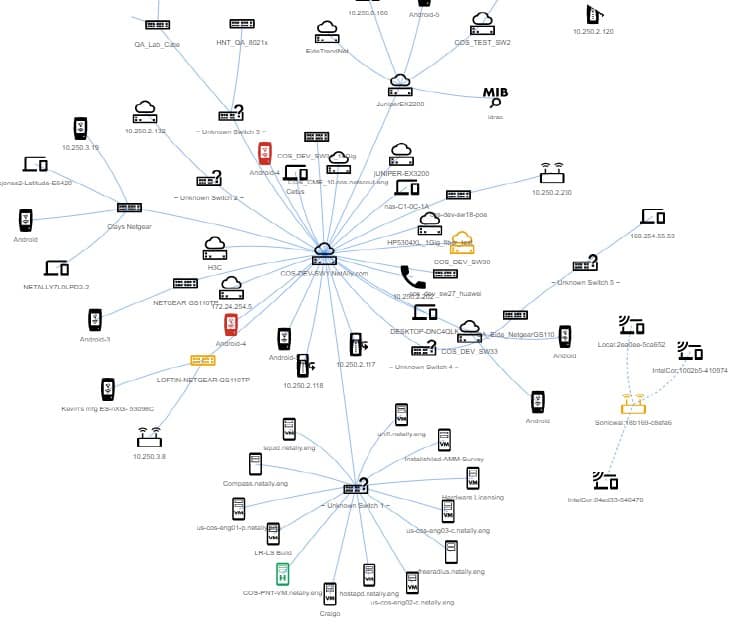
- Discover network devices across multiple VLANs and WiFi SSIDs through four WiFi and Ethernet interfaces upon power up.
- Powerful filter and sort function with automatic problem detection identifies issues such as:
- Duplicate IPs
- Congested switch ports
- Oversubscribed Wi-Fi channels/SSIDs
- Security threats, such as unknown clients, or access points with open authentication
- Path Analysis shows the switch/router path to any connected device
- Batch authorization workflow makes it easy to identify known vs. unknown devices, enabling “who’s on my network” auditing.
Test automation speeds and simplifies validation and troubleshooting – so more people can solve more problems, faster.
- AutoTest profiles for Wi-Fi and wired networks that can be customized for your network, then standardized across the organization
- Execute multiple AutoTest profiles that shorten test time to verify multiple VLANs and Wi-Fi SSIDs.
- Define and assign groups of targets to AutoTest profiles to validate performance using ping, TCP Connect, Web, or FTP.
- Packet capture from Wi-Fi and Ethernet to PCAP.
- AutoTest results can be automatically uploaded to Link-Live for reporting, analysis, and documentation.
Specifications
| General | |
| Dimensions | 4.05 in x 7.67 in x 2.16 in (10.3 cm x 19.5 cm x 5.5 cm) |
| Weight | 1.677 lbs. (0.76 kg) |
| Battery | Rechargeable lithium-ion battery pack (7.2 V, 6.4 A, 46 Wh) |
| Battery life | Typical operating life is 3-4 hours (Battery life from full charge varies depending on the feature being used); Typical charge time is 3 hours |
| Display | 5.0-inch color LCD with capacitive touchscreen (720 x 1280 pixels) |
| Host Interfaces | RJ-45 Cable Test and Management Port USB Type-A Port and USB Type-C On-the-Go Port |
| SD Card Port | Supports Micro SD card storage – up to 32GB supported |
| Memory | Approximately 8 GB available for storing test results and user applications |
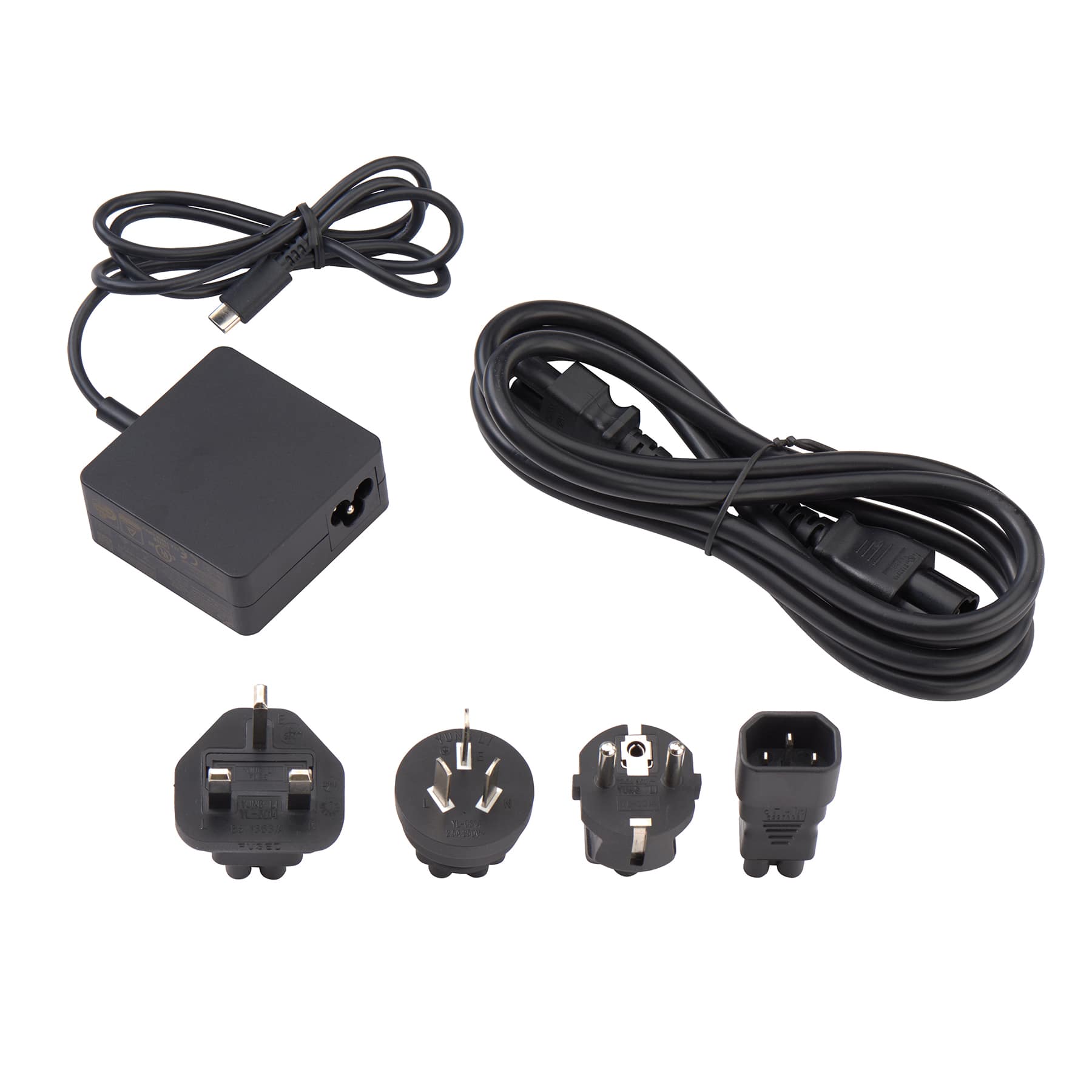
| Charging | USB Type-C 45-W adapter: 100-240 Vac, 50-60 Hz; DC Output Power 15 V (3 A) |
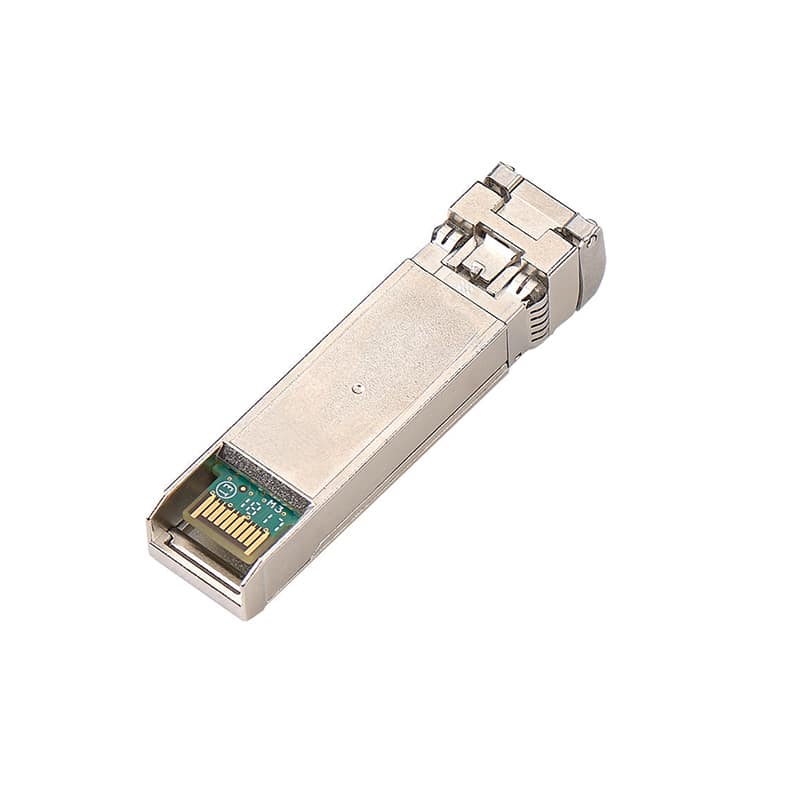
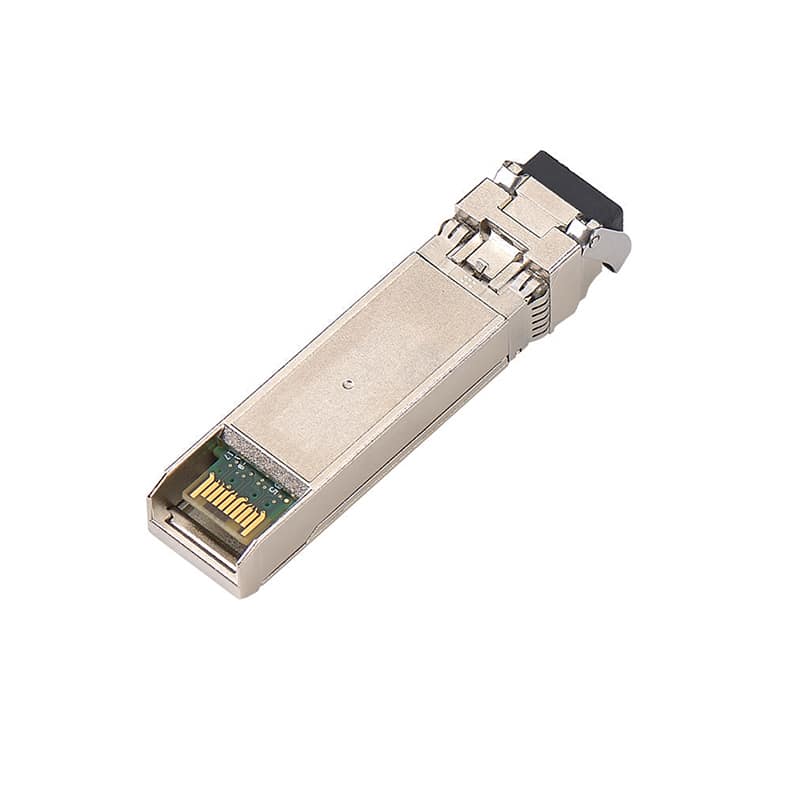
| Media Access | Copper: 10M/100M/1G/2.5G/5G/10G Fiber SFP Adapters: 1G/10GBASE-X |
| Supported IEEE Standards | Wired: 802.3/ab/ae/an/bz/i/u/z WiFi: 802.11a/b/g/n/ac/ax PoE: 802.3af/at/bt, Class 0-8 and UPOE |
| Cable Test | Pair lengths, opens, shorts, splits, crossed, straight through, and WireView ID |
| Wireless | |
| EtherScope nXG has two internal WiFi Radios: | Testing – 2×2 Tri-band 802.11ax wireless radio, IEEE 802.11a/b/g/n/ac/ax compliant Management – 1×1 Dual-band 802.11ac Wave 2 + Bluetooth 5.0 and BLE wireless radio, IEEE 802.11a/b/g/n/ac compliant. |
| Specification Compliance | IEEE 802.11a, 802.11b, 802.11g, 802.11n, 802.11ac, 802.1ax |
| WiFi Connectivity | 802.11a, 802.11b, 802.11g, 802.11n, 802.11ac, 802.11ax |
| Operating Frequencies NOTE: These are the center frequencies of the channels that the EtherScope nXG tester supports. | Frequencies of channels received and transmitted: 2.4 GHz band: 2.412 – 2.484 GHz (channel 1 to 14)* 5 GHz band: 5.170 – 5.320 GHz, 5.500 – 5.700 GHz, 5.745 – 5.825 GHz (channel 36 to 165)* 6 GHz band: 5.925 – 7.125 GHz (channel 1 to channel 233)* *NOTE: Where allowed my country regulations.The tester transmits only on the frequencies allowed in the country where it is operating. |
| Antennas | |
| Internal WiFi Antennas | Minimum gain 2.0 dBi peak in the 2.4 GHz band, 1.5 dBi peak in the 5 GHz band, and 2.7 dBi peak in the 6 GHz band. |
| External Directional Antennas | Antenna, frequency range 2.4 to 2.5 GHz, 4.9 to 5.9 GHz, and 6.0 to 7.1 GHz Minimum gain 6.4 dBi peak in the 2.4 GHz band, 8.9 dBi peak in the 5 GHz band, a 8.6 dBi peak in the 6 GHz band |
| NPT Reflector Agent | |
| Supporting Operating Systems | Windows® 8.1, Windows® 10, Windows® 2008-R2, Windows® 2012, Windows® 2012-R2, Windows® 2016 and Windows® 2019 |
| Minimum Hardware Requirement | |
| Processor | 1 GHz or better CPU |
| RAM | 1 GB or more RAM |
| Hard Disk | 1 GB available space |
| Network Interface | Ethernet and/or WiFi |
Support
NOTE: All new EXG-300 mainframes are sold with the first year (1 year) of AllyCare support included. Additional year(s) of support may be added. Product registration and activation is required within 30 days of first power-on.
Certain features and capabilities of this product are enabled by having an active AllyCare Support services contract. For more information about this product’s AllyCare enabled features please click here. At the end of your existing contract, you must renew your AllyCare Support contract to continue utilizing the features described.
Use these support model numbers for extending support at time of purchase or for support renewal.
| Model Number/Name | Description |
| EXG-300-1YS | 1-year AllyCare support for all EXG-300 models, including full tri-band, “E” (partial tri-band), and “C” (dual band 2.4/5GHz only) SKUS: EXG-300, EXG-300-KIT, EXG-300-KIT-2PK (covers only a single unit), EXG300-LR10G-KIT (covers EXG-300 only) |
| EXG-300-2YS | 2-year AllyCare support for all EXG-300 models, including full tri-band, “E” (partial tri-band), and “C” (dual band 2.4/5GHz only) SKUS: EXG-300, EXG-300-KIT, EXG-300-KIT-2PK (covers only a single unit), EXG300-LR10G-KIT (covers EXG-300 only) |
| EXG-300-3YS | 3-year AllyCare support for all EXG-300 models, including full tri-band, “E” (partial tri-band), and “C” (dual band 2.4/5GHz only) SKUS: EXG-300, EXG-300-KIT, EXG-300-KIT-2PK (covers only a single unit), EXG300-LR10G-KIT (covers EXG-300 only) |