Link-Live Release Notes v9.7
These Link-Live Release Notes briefly describe the changes included in the release.
Version 9.7 Changes
Organizations
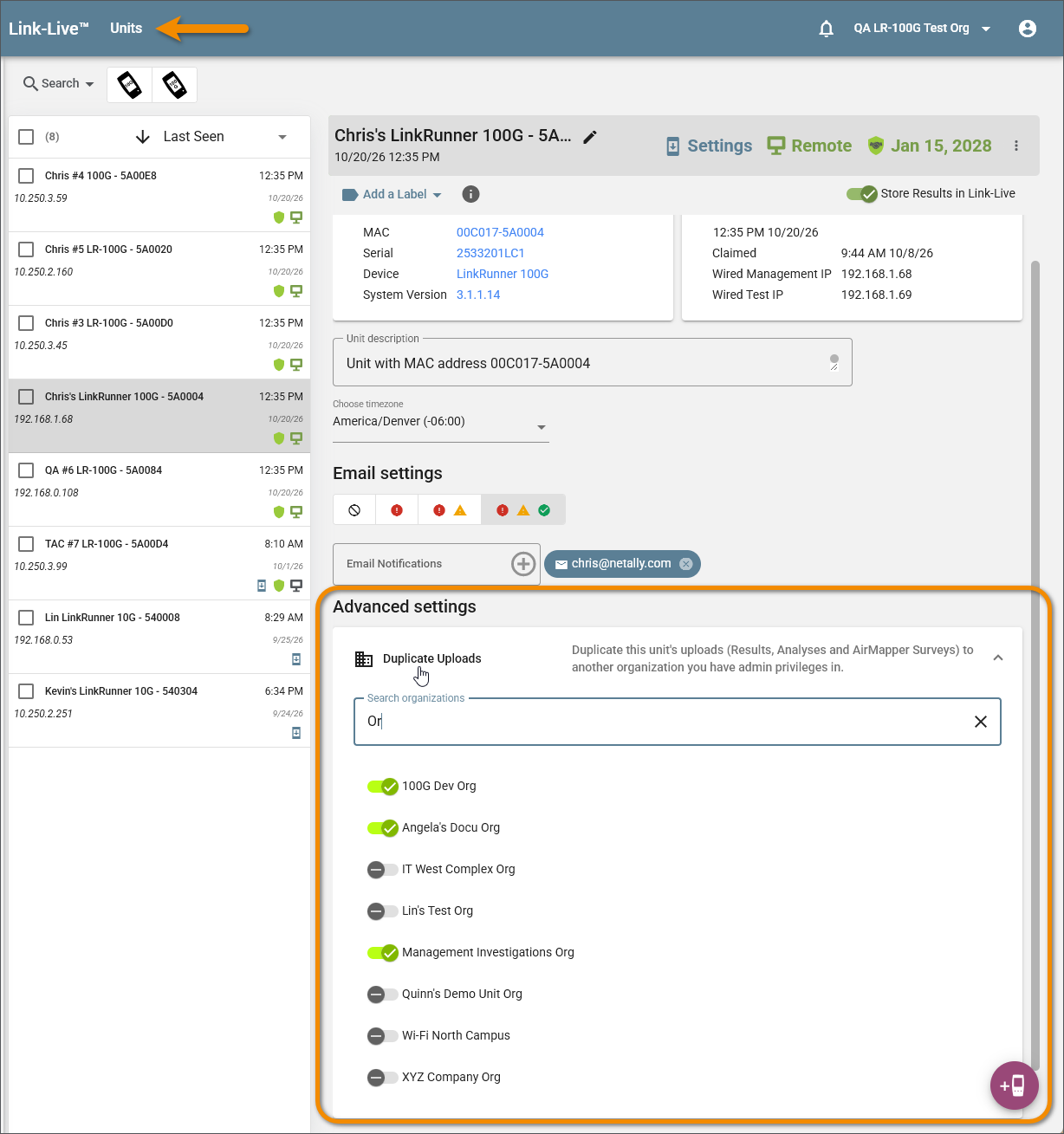
Finding Organizations in Long Lists – The Duplicate Uploads panel in a unit's details now lists organizations alphabetically, with numbered names in numeric order, so Org 2 comes before Org 10. When the panel lists more than ten organizations, a search box above the list narrows it as you type, and a clear button returns the full list. You can turn on duplication for several organizations in one visit, and all of them are saved.
Signing In
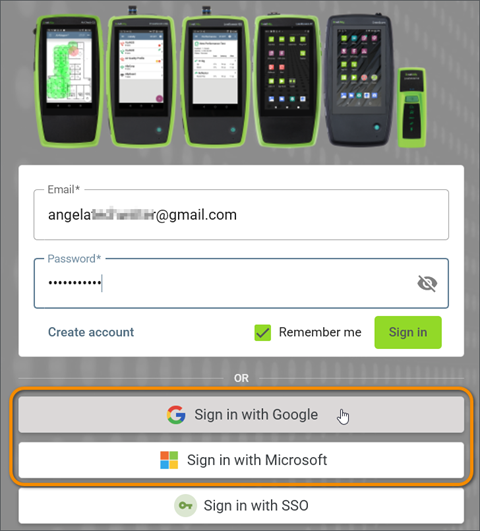
Clearer Messages for Google and Microsoft Sign-In – If you already have a Link-Live account with a password, and then elect to sign in with a Google or Microsoft account that uses the same email address, Link-Live prompts you to link your existing Link-Live account to Google or Microsoft.
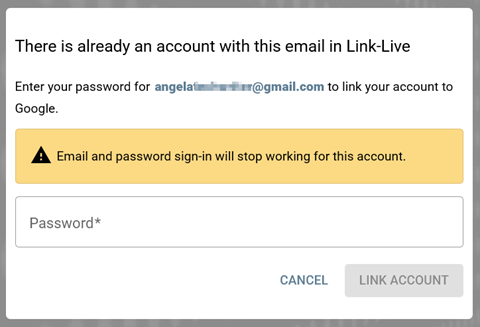
A dialog asks for your Link-Live password. Once you select Link Account, you must sign in to Link-Live using Google or Microsoft going forward. You will not be able to sign in using your previous email and password credentials. Linking does not change how you sign in to Google or Microsoft, or your password for either.
If a Google or Microsoft sign-in fails, Link-Live now tells you why: the account is locked, the account is disabled, or the account is set up to sign in through your company's single sign-on.